Modern Process Digitization, Part 2
Process digitization: AI services in our business processes
In the last blog post we built a workflow that saves files from ePost to our SharePoint storage. This process digitization was the first step. Unfortunately, the ePost service doesn't give our files meaningful names. In this article we want to improve that by using Azure AI Services.
What are Azure AI Services?
Azure AI Services offers a range of AI services, including text generation, image processing and translation. One advantage is that you can use Microsoft's pre-trained models, so simple tasks need no training of your own.
In our example we use the Document Intelligence service, because it includes pre-trained models for recognizing information in documents.
Integration into the existing workflow
Preparation
To use the Document Intelligence service, we first have to create it in Azure. Once it is created, we have an API endpoint and an API key to use the service.
We also use the Adobe PDF Services API to adjust PDFs. Since Azure Document Intelligence only accepts data up to 4 MB and some ePost PDFs are larger, we limit ourselves to the first two pages. This also saves Azure costs, since billing is per page.
New Azure Logic App workflow
Now we optimize our Azure Logic App workflow. The figure shows the updated workflow: part A stays the same, while part B adds the AI.
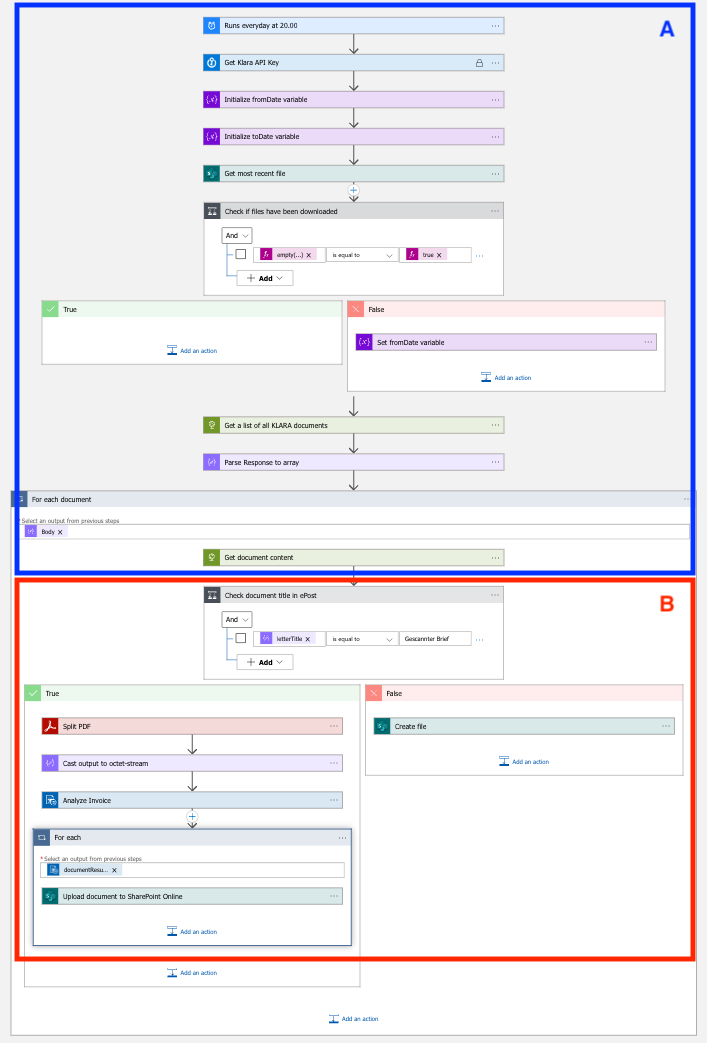
Let's take a closer look at part B.
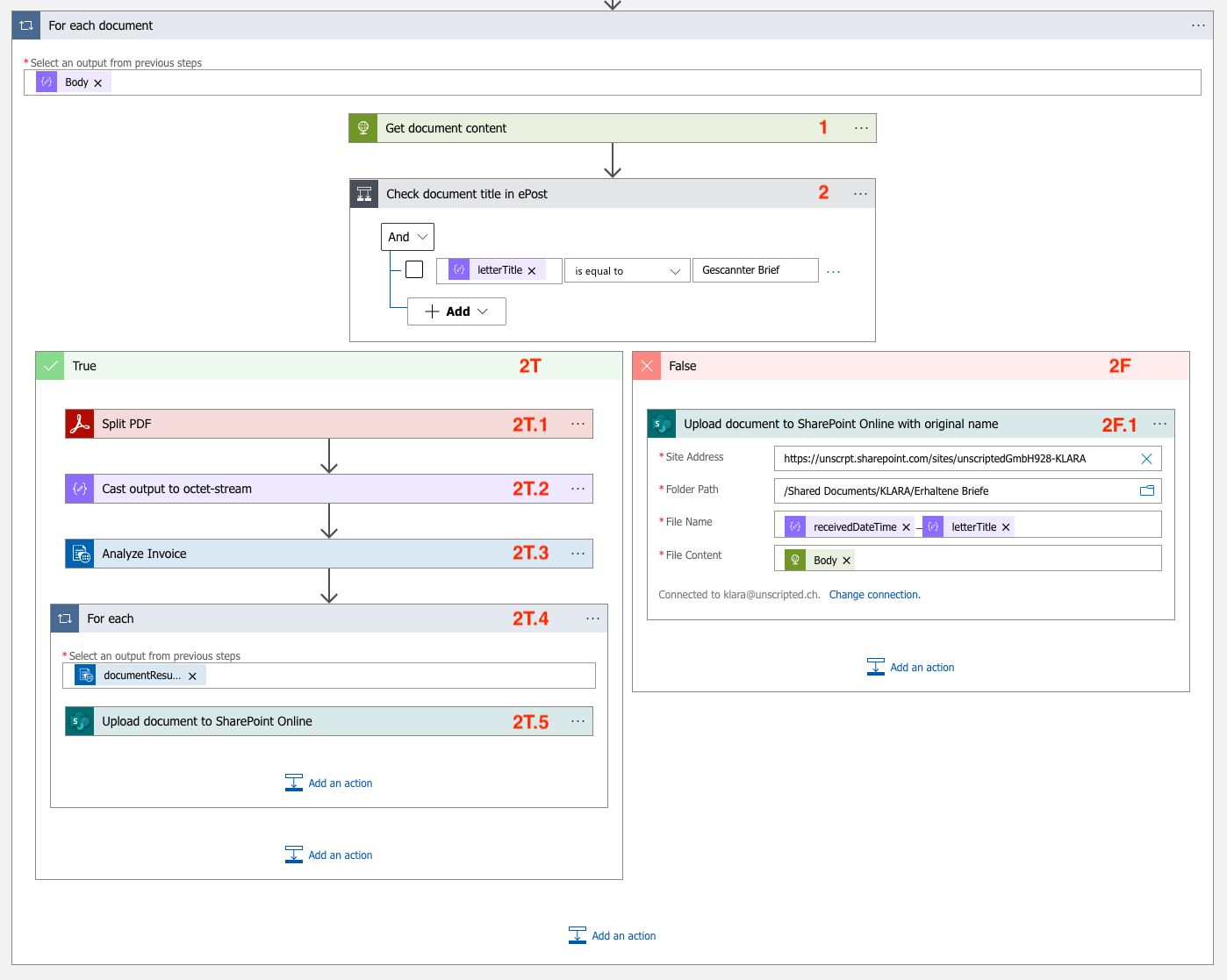
| Step | Type | Description |
|---|---|---|
| 1 | HTTP Request | Get the document content via /epost/v2/letters/{letter-id}/content. |
| 2 | Conditional | Check: Is the file name "Gescannter Brief"? |
| 2F | Conditional - False | Actions if the file name is not "Gescannter Brief" |
| 2F.1 | Conditional - False | Upload the document to SharePoint with timestamp and title. |
| 2T | Conditional - True | Actions if the file name is "Gescannter Brief" |
| 2T.1 | Conditional - True | Reduce the PDF to 2 pages |
| 2T.2 | Conditional - True | Change the data type of the reduced PDF |
| 2T.3 | Conditional - True | Have Document Intelligence analyze the PDF |
| 2T.4 | Conditional - True / For-each loop | Iterate over the result of the Document Intelligence analysis |
| 2T.5 | Conditional - True | Upload the document to SharePoint with timestamp and sender name. |
Test run
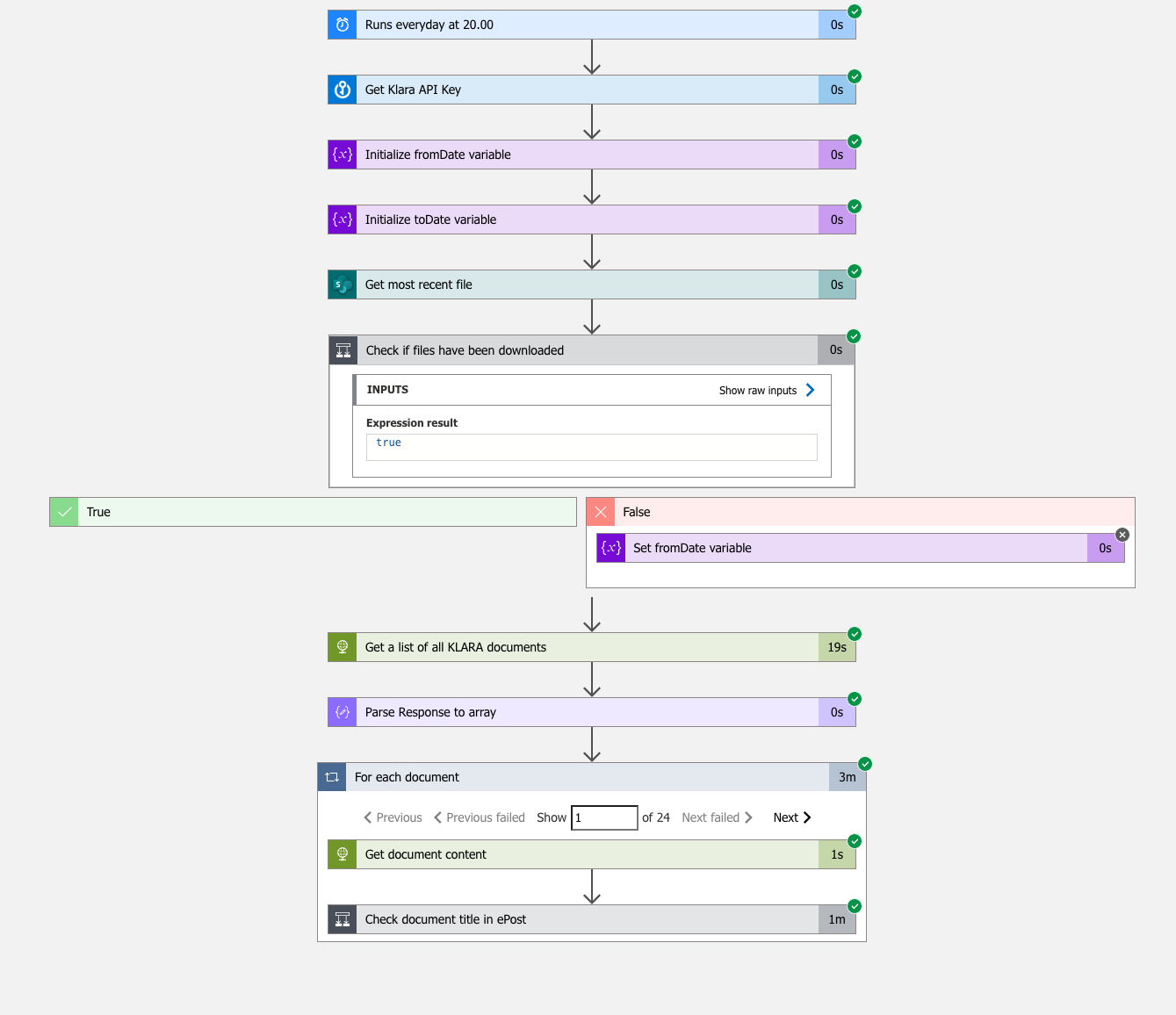
Now let's test our new workflow! The screenshot shows that all steps ran successfully. The for-each document loop now takes three minutes instead of 17 seconds, mainly because of the AI analysis and the API rate limit.
Result
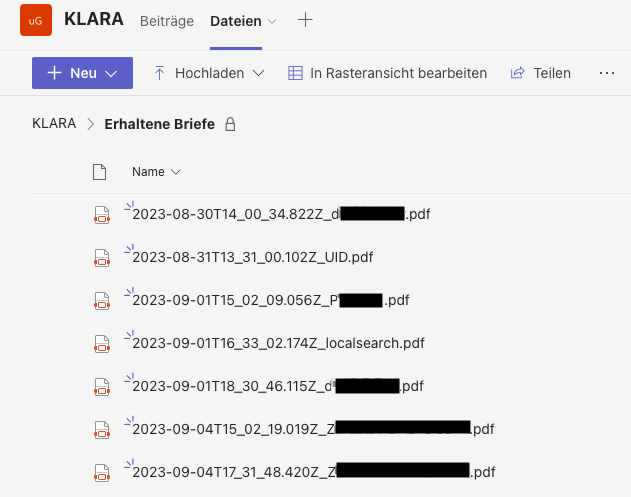
The files in the target folder are now titled with the sender names (names redacted, unwanted advertising visible). The screenshot also shows an error: the "UID" letter comes from the Swiss Federal Statistical Office. Out of 24 documents, two got wrong titles and two got insufficient ones, an error rate of 17%. That is acceptable for us, since we can correct the wrong and insufficient titles by hand. To get a better rate we could train our own model, but we would need more data.
Conclusion
By integrating AI into our Azure Logic App workflow, we have clearly improved our document management. Besides smarter naming, the AI also has potential for recognizing invoice types, amounts and visual content. Azure also lets you train your own models to meet specific requirements. This shows how versatile and adaptable AI is in digitization.
Make full use of AI in your company. Start an ideation workshop with us and find AI use cases tailored to your business. Contact me and take the first step toward a digital future.

About the author
Loris Scandurra
As an expert in Azure and AI solutions, I help modern companies transform their business processes with new technology. With years of experience in cloud development and artificial intelligence, I help you get the full value out of digital solutions.
Get in touch